Moving to Los Angeles Before GTA 6? 7 Things Every Gamer Should Know
Moving to Los Angeles? Your next big mission might not be in GTA 6 — it might be getting your gaming setup safely into your new home.
Grand Theft Auto VI has become one of the most anticipated video games in history. With players eager to explore Vice City, gamers everywhere are preparing their consoles, upgrading their setups, and getting ready for their next virtual adventure.
Moving to Los Angeles Before GTA 6?
Imagine finally getting the keys to your new LA apartment, only to discover that your gaming monitor is damaged, your internet isn’t connected, and your PlayStation 5 is buried somewhere inside 30 moving boxes.
Game over before the game even begins!
Fortunately, moving your gaming setup doesn’t have to be a nightmare.
Whether you’re relocating to Downtown Los Angeles, Hollywood, Santa Monica, or the San Fernando Valley, these seven essential moving tips will help you protect your gaming equipment, organize your new space, and get ready for GTA 6.
And when the real-life moving mission gets overwhelming, Cheap Movers Los Angeles can help you tackle the heavy lifting.
1. Protect Your Gaming PC Like It’s Your Most Valuable GTA Asset
Let’s face it: for many gamers, their gaming PC is one of the most expensive items they own.
Between high-performance graphics cards, powerful processors, liquid cooling systems, and custom RGB lighting, a gaming computer can represent a serious investment.
And unfortunately, moving a gaming PC isn’t as simple as throwing it into a cardboard box.
Here’s how to protect your gaming PC during a move:
- Back up important files before disconnecting your computer.
- Shut down your PC and unplug all accessories.
- Use the original computer case packaging whenever possible.
- Secure or remove heavy internal components according to manufacturer guidance.
- Protect your computer with appropriate cushioning.
- Keep the PC upright when recommended by its manufacturer.
- Avoid stacking heavy boxes on top of your equipment.
If your computer has a large graphics card or custom water-cooling system, consider getting advice from a qualified technician before transportation.
Pro gamer tip: Take pictures of your cable connections before unplugging everything. You’ll thank yourself when rebuilding your gaming station.
Whether you’re moving across the street or across Los Angeles, proper packing can make a big difference.
2. Your PS5 or Xbox Deserves VIP Treatment
Planning to experience GTA 6 on your PlayStation 5 or Xbox Series X|S?
Then your console deserves special attention during moving day.
Gaming consoles contain sensitive electronic components that can be damaged by impacts, excessive pressure, or improper handling.
The good news? A little preparation goes a long way.
How to pack your gaming console safely
- Turn off the console completely and disconnect it from power.
- Remove any discs and external accessories.
- Pack controllers, power cables, and HDMI cables separately in labeled bags.
- Use the original console box if available.
- Add protective padding and secure the console inside a sturdy box.
- Keep the box away from liquids and heavy furniture.
Avoid leaving your console loose inside a moving truck.
If you have the option, you may prefer transporting particularly valuable electronics personally.
Remember: Your console is your ticket to Vice City. Treat it accordingly.
3. Set Up Your Internet Before Moving Day — GTA 6 Won’t Wait!
Picture this:
You’ve successfully moved into your new Los Angeles apartment.
Your television is mounted.
Your PS5 is connected.
Your gaming chair is perfectly positioned.
You grab your controller, ready to play.
And then…
No internet connection.
For gamers, few moving-day surprises are more frustrating.
Even when a game supports offline play, internet access may be necessary for downloading the game, installing updates, or accessing online features.
Before moving to Los Angeles, make sure you:
- Check which internet providers serve your new address.
- Schedule installation or activation in advance.
- Confirm your router and modem are compatible with your service.
- Test your connection as soon as possible.
- Consider an Ethernet connection for stable online gaming.
Los Angeles has a wide variety of neighborhoods, buildings, and housing types, so internet options can vary significantly by address.
Don’t assume your new apartment has the same connectivity options as your previous home.
Gamer moving hack: Schedule your internet activation before your gaming equipment arrives whenever possible.
4. Protect Your Gaming Monitor — One Wrong Move Can Cost Hundreds
Your gaming monitor might be the most fragile part of your entire setup.
Whether you own a 27-inch high-refresh-rate display, an ultrawide gaming monitor, or a large OLED screen, proper packing is essential.
Unlike some other household items, monitors can be particularly vulnerable to pressure and impact.
Best practices for moving gaming monitors
Use the original box. Original packaging is often designed to support the monitor during transportation.
Protect the screen. Use manufacturer-recommended protective materials and avoid applying direct pressure to the display.
Remove detachable stands. If the manufacturer recommends it, carefully remove the stand and pack it separately.
Keep monitors properly positioned. Follow the manufacturer’s transport instructions.
Label the box clearly. Mark it as fragile and indicate the correct orientation.
If you’re moving multiple monitors, avoid packing them together without proper separation and padding.
Your new gaming room deserves a screen without cracks, dead pixels, or moving-related damage.
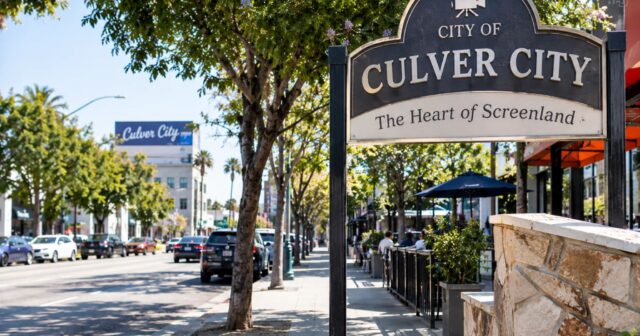
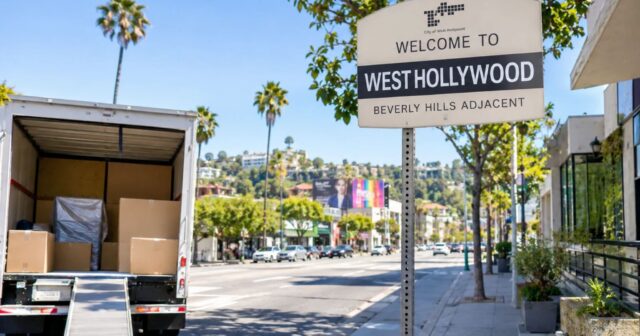
5. Choose the Right Los Angeles Neighborhood for Your Gaming Lifestyle
Los Angeles isn’t just one city experience.
It’s a collection of neighborhoods, each with its own personality, housing options, transportation challenges, and lifestyle.
And if you’re a gamer moving to LA, your neighborhood can influence everything from your available living space to your internet connection.
Here are a few areas worth exploring.
6. Build Your Ultimate Gaming Room Before Unpacking Everything
Moving into a new home gives you an opportunity to rethink your gaming setup.
Instead of simply recreating your old arrangement, why not design a better gaming space?
Whether you have a dedicated gaming room or a small corner in your apartment, a little planning can improve comfort and organization.
Your new gaming setup checklist
- Gaming desk: Choose a sturdy desk with enough space for your monitors and accessories.
- Ergonomic chair: Consider a supportive chair for longer gaming sessions.
- Cable management: Use cable organizers to keep wires tidy and reduce trip hazards.
- Ventilation: Leave sufficient space around consoles and PCs for proper airflow.
- Lighting: Consider adjustable lighting that reduces glare and eye strain.
- Power protection: Use suitable, properly rated electrical equipment.
- Internet access: Position your gaming equipment where connectivity is reliable.
Before your movers arrive, measure your furniture and decide where your gaming equipment will go.
That way, large desks, shelves, and other furniture can be placed in their intended locations.
Bonus tip: Label a box “GAMING SETUP — UNPACK FIRST” and fill it with essential cables, controllers, and accessories.
It might become the first box you open in your new home.
7. Hire Professional Los Angeles Movers and Skip the Real-Life Chaos
Let’s compare two scenarios.
Scenario A: The DIY moving mission
You wake up early.
You rent a truck.
You spend hours carrying heavy furniture.
You get stuck in Los Angeles traffic.
You struggle to find parking.
By the time everything reaches your new apartment, you’re exhausted.
And your gaming setup is still packed.
Scenario B: The professional moving mission
You plan your move in advance.
Your boxes are organized and labeled.
You arrange professional help for loading, transportation, and unloading according to your moving service agreement.
You can focus more of your time on preparing your new home.
And hopefully, your gaming setup is ready much sooner.
That’s where Cheap Movers Los Angeles comes in.
If you’re planning a residential move in Los Angeles, having an experienced moving team can make the process more manageable.
From bulky furniture and desks to properly packed household belongings, professional moving assistance can help reduce the physical workload and logistical challenges of relocation.
For fragile or expensive gaming equipment, always discuss packing requirements, handling procedures, and available protection options before booking.
Your biggest mission should be enjoying your new home — not carrying a heavy desk up three flights of stairs.
Explore moving services and request a quote from Cheap Movers Los Angeles.
Bonus: GTA 6 vs. Moving in Los Angeles — Which Mission Is Harder?
Every gamer knows that Grand Theft Auto missions can get chaotic.
But moving in Los Angeles comes with its own challenges.
| GTA 6 | Moving in Los Angeles |
|---|---|
| Explore a massive open world | Navigate LA neighborhoods |
| Complete difficult missions | Carry furniture upstairs |
| Manage vehicles | Coordinate a moving truck |
| Avoid in-game obstacles | Plan around real traffic |
| Upgrade your safehouse | Set up your new apartment |
| Unlock new experiences | Start a new chapter in life |
The difference?
In GTA 6, you can restart a mission.
In real life, damaged furniture and missed moving appointments can cost you time and money.
That’s why planning ahead matters.
Frequently Asked Questions
How do I move a gaming PC safely?
Back up your data, disconnect accessories, secure vulnerable internal components, and use protective packaging. Follow the manufacturer’s transportation instructions, especially for custom-built PCs.
Can movers transport my PS5 or Xbox?
Many residential moving companies transport properly packed household electronics. Confirm the company’s policies, packing services, and protection options before your move.
How much does it cost to hire movers in Los Angeles?
Moving costs depend on factors such as distance, the size of your home, the number of movers, access conditions, and additional services. Request a personalized estimate based on your specific move.
Should I move my gaming equipment myself?
For highly valuable or delicate electronics, personal transportation may be preferable. Discuss the safest approach with your moving company.
How early should I book movers in Los Angeles?
Booking ahead is generally helpful, especially during weekends, month-end periods, and busy moving seasons. Availability depends on the company and your requested date.
How can I get my gaming setup ready quickly after moving?
Pack essential gaming accessories in clearly labeled boxes, arrange internet service in advance, and decide where your desk, monitors, and consoles will go before moving day.
When does GTA 6 come out?
For the most current official release information, check Rockstar Games’ GTA VI website. Release schedules and platform availability should always be confirmed with the publisher.
Final Thoughts: Your Next Mission Starts in Los Angeles
GTA 6 might take you to the fictional streets of Vice City, but your real-life adventure could be starting right here in Los Angeles.
Whether you’re moving into your first apartment, upgrading to a bigger home, or relocating across the city, your gaming equipment deserves careful planning and protection.
Remember these seven essentials:
- Protect your gaming PC.
- Pack your console properly.
- Arrange your internet connection early.
- Secure your monitors.
- Research your new neighborhood.
- Plan your gaming room.
- Get professional moving assistance when needed.
With the right preparation, you can spend less time dealing with moving-day problems and more time enjoying your new home.
Ready for Your Next Mission? Move With Cheap Movers Los Angeles!
Your gaming adventures may be virtual, but moving your furniture is definitely real.
Whether you’re relocating to Hollywood, Downtown LA, Santa Monica, or another Los Angeles neighborhood, Cheap Movers Los Angeles is here to help you plan your next move.
Don’t let moving day become your hardest mission.
Get a Moving Quote From Cheap Movers Los Angeles Today!
Cheap Movers Los Angeles is an independent moving company and is not affiliated with, sponsored by, or endorsed by Rockstar Games or Take-Two Interactive.